Jev in production › Moderation and content filtering
AnyFilter
Chrome extension that classifies each X post with Jev against preset categories and rules the user writes in a sentence, hides matches, and lists hidden posts by reason in a side panel with a put-back control.
- Use
- Moderation and content filtering
- Industry
- Media and social
- Form
- Open-source tool
- Stage
- In production
- Plugs into
- Chrome
- Listed
- 2026-09-20
- Found via
- github
- Repository
- anyfilter/anyfilter
- Stars
- 11
- Forks
- 3
- Last push
- 2026-09-19
- Language
- TypeScript
- License
- MIT
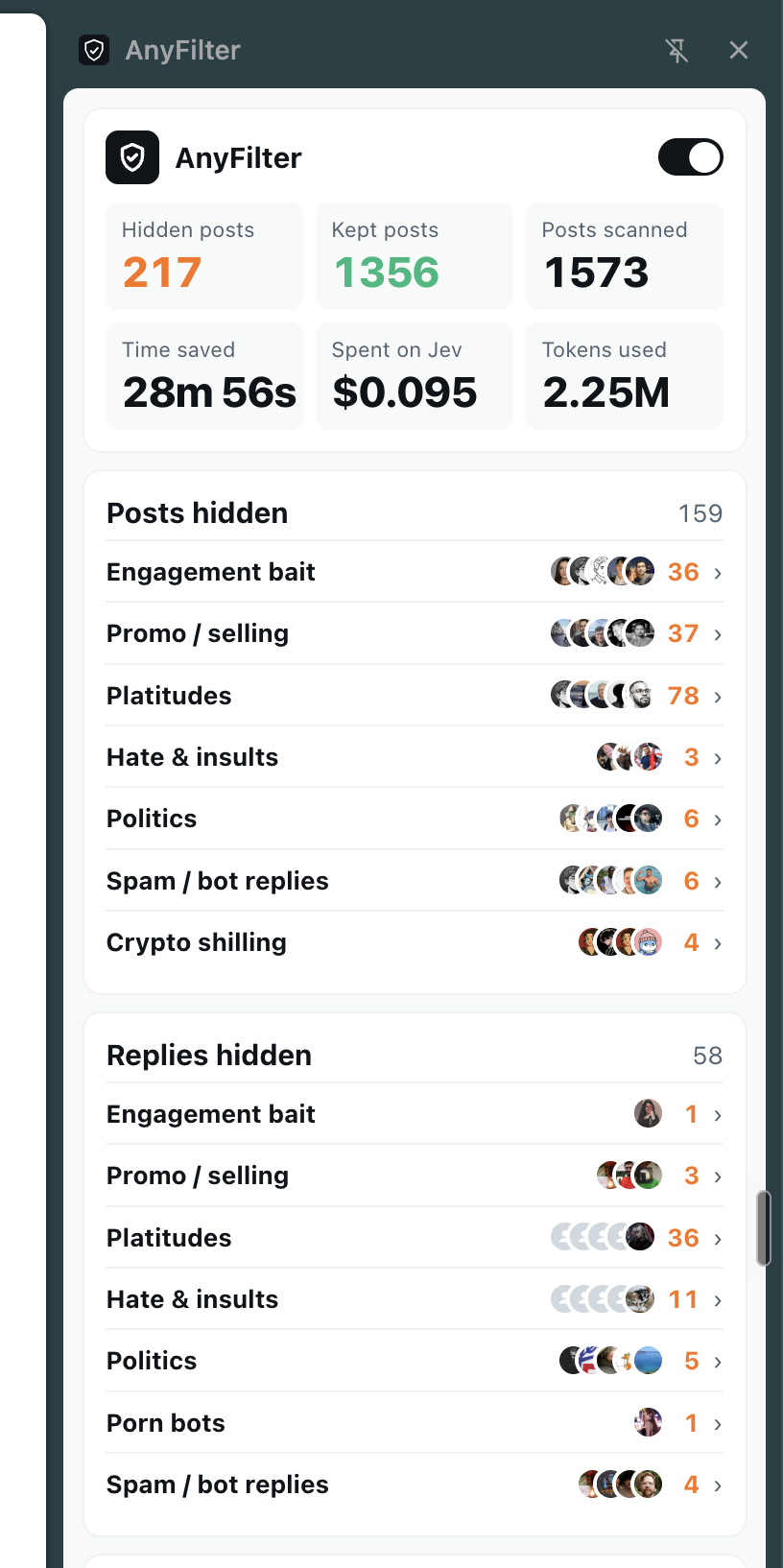
The README opens with
Chrome extension that uses Jev to hide anything you don't want to see on any site, from ads and spam to whatever you describe in a sentence. X for now, more sites in the works.
https://github.com/user-attachments/assets/4cfa42c1-00e8-46d5-ba18-07cb912e9dbd
1. Download anyfilter- -chrome.zip from Releases and unzip it. 2. Open chrome://extensions, turn on Developer mode, click "Load unpacked" and pick the unzipped folder. 3. Go to x.com and click the toolbar icon. The panel docks on the right.
Badge
For the project's own README, linking back here:

Also used for moderation and content filtering
- JevPromptShield 6 of 21
- jev-edge from 37% to 5%
- slop-filter 19
- Sift About $0.00003 per post
- ElevenLabs 180ms
- kassad 0.987
- FakeCatch about a second
- Near Here 96 per cent