Jev in production › Chat bots and games
狗头军师 Chat
Optional Jev strategy layer picks a reply strategy for the current WeChat chat before a DeepSeek or OpenAI-compatible model drafts candidate replies in this Mac sidebar assistant; the user copies or fills a draft and sends it.
- Use
- Chat bots and games
- Industry
- Media and social
- Form
- Open-source tool
- Stage
- Beta
- Plugs into
- WeChat (macOS)
- Listed
- 2026-09-24
- Found via
- github
- Repository
- shengjidaguai-china/goutoujunshi-chat
- Stars
- 380
- Forks
- 30
- Last push
- 2026-10-06
- Language
- Python
- License
- MIT
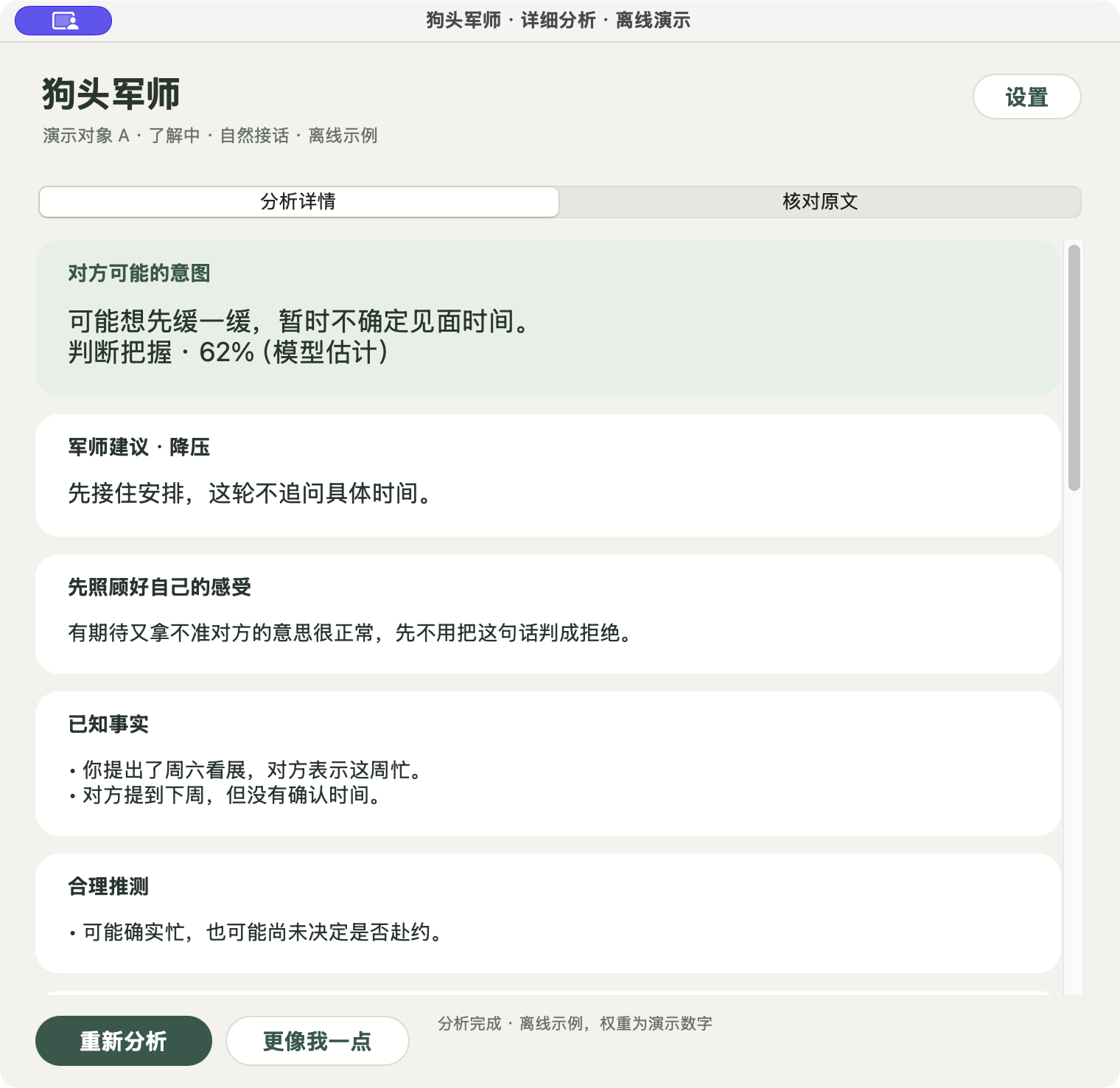
The README opens with
聊天窗口旁的狗头军师:读屏、分析、生成回复草稿。 这是从狗头军师延伸出来的独立项目。目前公开提供 Mac 源码预览包、Windows 预览 ZIP 和 Android 调试 APK。Android 版目前无法截取微信聊天画面,暂不支持微信;Windows 和 Android 仍需实机测试。发送始终由用户决定。
感谢 PR 贡献者 @RayWangQvQ(在7楼):通过 PR #1 修复安卓通用截图流程中的核对页消失和确认循环,并补充焦点恢复测试。他在 PR 中报告了 Soul 真机验证,详细署名见文末「贡献者与致谢」。
打开完整教程:附 10 张实际页面截图,从 DeepSeek 开放平台充值、创建和复制 API Key,讲到 Android 安装权限、识图、策略判断、回复生成,以及 Soul 手动截屏后的核对和复制回复。
只用 DeepSeek 时,「策略判断」和「回复接口」选 DeepSeek 官方,「视觉接口」选 DeepSeek,模型填 deepseek-flash,接口地址为 https://api.deepseek.com/v1;三个密钥框可填写同一个自己的 Key。再将「截图识图方式」选为「视觉模型(DeepSeek 等)」,点击「保存全部设置」。
Badge
For the project's own README, linking back here:

Also used for chat bots and games
- astrbot_plugin_jev 50-70ms
- Sausage Battlefield 3-23x faster
- hikomi 0.8s
- LendEasy.ai up from 77.5% to 97.9%
- Jev Chat Jarvis 约 1 秒
- MineAI
- Orbs
- DesktopAssistant